

Super Finder 2.5
Are you frustrated by the standard search utility? Try Super Finder!
Program info
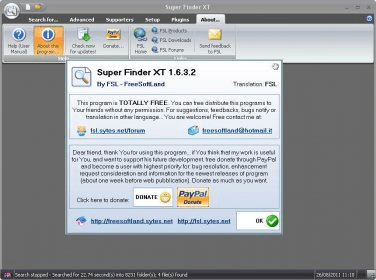
Are you tired of using the same and limited Windows built-in search option to find files on your PC? Then Super Finder is a good and powerful tool that can be a perfect choice for searching your files and directories easily and fast, and with advanced features.
Super Finder has many extra advanced functions that make it work fast and give you better results. Some of the key features of this useful search utility are:
- Exclude file masks. These form a list of files that should be excluded from the search results, separated by semicolon ( ; ). For example, if you type "C:\*.txt" in the exclude field, then all text files in root folder of drive C will be ignored.
- Search Content. With this feature, you will be able to perform an advanced search with three different modes: search plain text in document files (Text mode), search a string in a resource section of a file (Unicode mode), and search a pattern in nontext files or special files like executables or binary files (Hexadecimal mode).
- Search files by attributes. Archive, System, Read only, and Hidden attributes can be used to search your files.
And there are many other advanced search functions you will find in its tabbed interface. Definitely, Super Finder is a good replacement for the Windows built-in search function.
Pros
- Very easy to use interface
- Advanced search options
Cons
- There are no different views of files
Details
Extensions

No information available
The data will be available later.



Comments
Faster and will search for text within html files.
Lots of versatility in search expressions.
Fairly nice GUI More